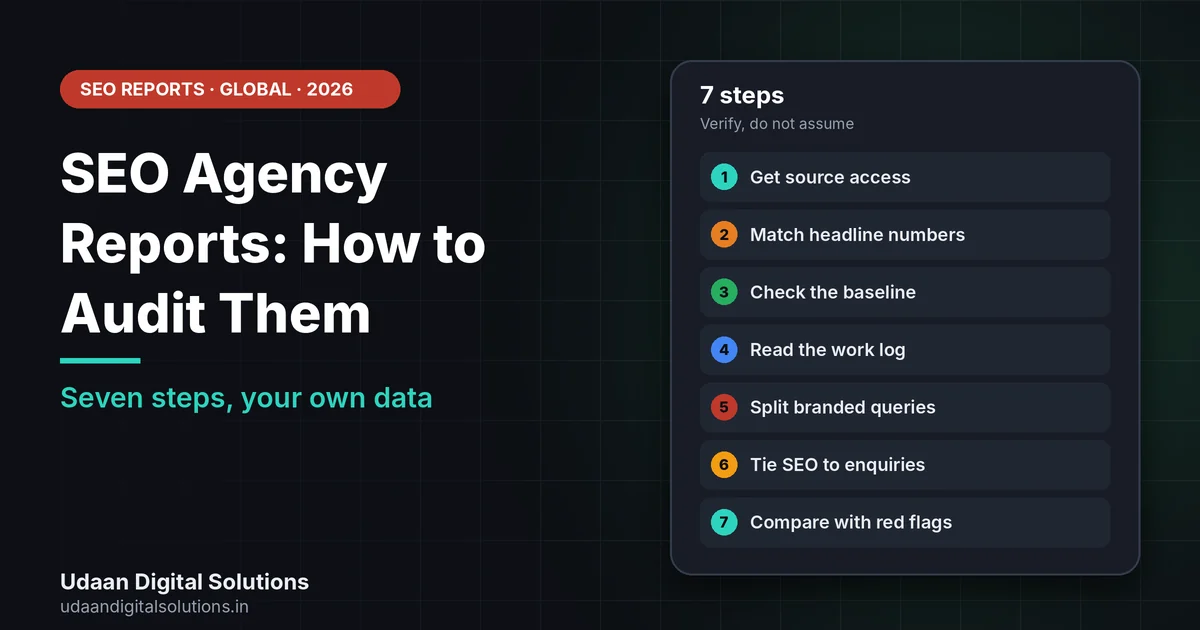
To audit SEO agency reports, open Search Console under your own login, match the clicks, impressions and queries in the report, check the baseline and the work log, separate branded from non-branded searches, and tie SEO to enquiries. Google says no one can guarantee a number one ranking, so treat guarantees as a warning sign.
The report arrives on the first of the month, full of charts, and you are not sure what it proves. This guide shows how to audit SEO agency reports in seven steps using your own accounts, plain questions and Google’s published advice on hiring an SEO.
What should SEO agency reports show?
Google’s guidance on hiring an SEO suggests asking what results to expect, in what timeframe and how success will be measured. It also suggests asking whether the SEO will explain every change and the reasoning behind it. Good SEO agency reports answer those questions every month.
Google also says no one can guarantee a number one ranking, and it lists warning signs such as claims of a special relationship with Google, secrecy about what will be done to your site and link popularity schemes. Reading SEO agency reports against that list is a fair first test.
Timing matters too. Google’s SEO Starter Guide says some changes take effect in a few hours and others could take several months, so SEO agency reports should show trends over time. Our guide on the SEO timeline for new websites sets out a fair schedule.
Good SEO agency reports vs weak ones
Use this table as a scorecard. Count how many lines in each column describe the reports you get.
| Good sign | Weak sign |
|---|---|
| Clicks, impressions, CTR and average position from Search Console | Rank screenshots with no source |
| Non-branded queries and pages growing | Branded terms shown as proof of growth |
| Enquiries and bookings by source | Traffic totals with no link to leads |
| A list of work done and why | Vague phrases like ‘on-page optimisation’ |
| Comparison with a baseline and last year | Month-to-month numbers with no history |
| Plain-language next steps | Pages of charts and jargon |
Common ways reports flatter the results
Most agencies are honest, but some reports blur the picture without technically lying. Watch for these patterns, and ask one calm question about each.
| Pattern | What to ask |
|---|---|
| Hundreds of keywords tracked, most with no search volume | Which ten terms bring customers, and how are they moving? |
| Rankings measured in a different city or on a different device | Where and how were these checked, and can I repeat it? |
| Branded searches counted as growth | What is the trend for non-branded queries only? |
| Impressions shown without clicks | How many clicks and enquiries did those impressions produce? |
| Traffic from countries you do not serve | What share of visits is from my target area? |
| Work described as ‘ongoing optimisation’ | Which pages changed this month, and why? |
None of these is proof of bad faith. They are reasons to ask for clearer SEO agency reports, and a good agency will welcome the questions.
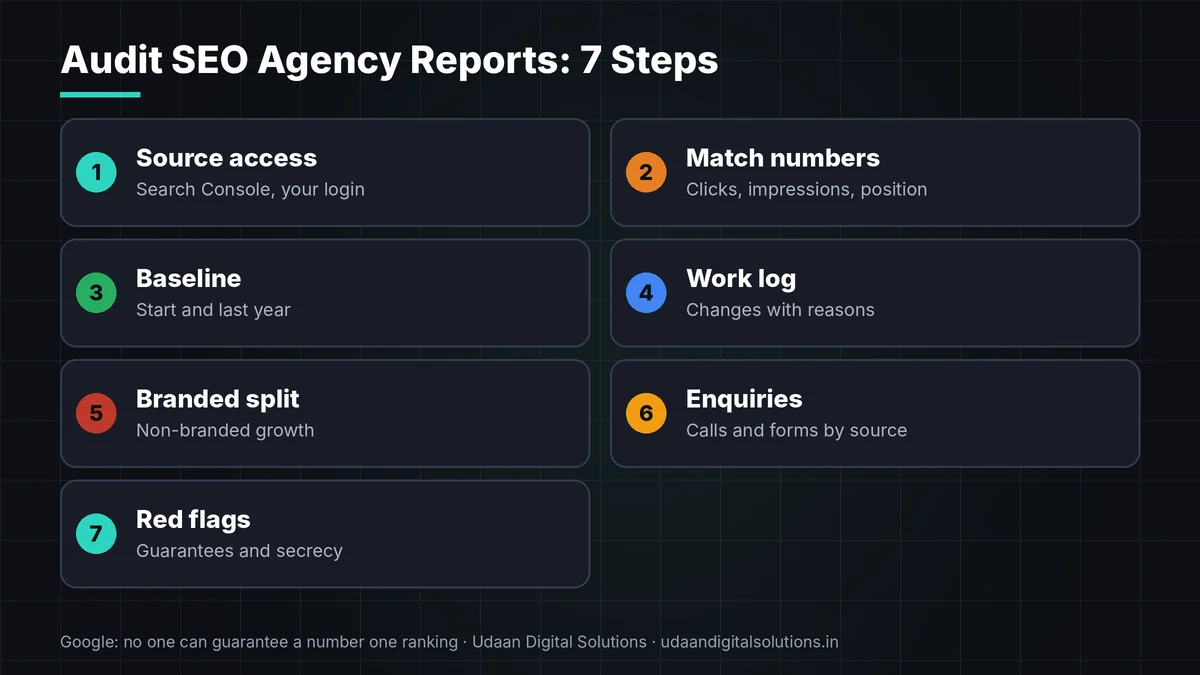
7 steps to audit SEO agency reports
Work through these in order. Each takes minutes, and together they show whether the reports hold up.
Get access to the source data
Open Search Console and analytics under your own login. Reports are summaries, so the first test is whether you can see the data behind them.
Match the headline numbers
Compare clicks, impressions, CTR and average position in the report with the Search Console performance report for the same dates.
Check the baseline
SEO agency reports mean little without a starting point. Look for the figures recorded before work began, and for the same period last year.
Read the work log
A real report lists pages edited, issues fixed and content added, with the reason for each. Google suggests asking an SEO to explain every change.
Want a second opinion on your reports?
Udaan Digital Solutions can review your SEO agency reports, accounts and results and tell you honestly what we see, even if you are not our client.
Talk to Our Team See Pricing →Separate branded from non-branded
Searches for your own business name show existing awareness, not SEO growth. Filter queries to see whether new, non-branded searches are rising.
Tie SEO to enquiries
Count calls, forms and bookings that came from organic search. SEO agency reports that never mention leads are reporting activity, not results.
Compare against Google’s red flags
Google warns about guaranteed first place, claims of a special relationship with Google, secrecy about the work and link schemes. Any of these needs a conversation.
What should SEO cost, and what should be in the reports?
The Udaan Digital Solutions pricing page, read on 24 October 2026, listed monthly SEO plans at ₹7,999, ₹14,999 and ₹24,999. At about ₹94.95 per US dollar, the first is about $84. GST treatment is not stated. Whatever the price, the SEO agency reports should match the scope. For a wider view of working with an overseas team, read our guide to SEO outsourcing to India for US small businesses. If you are in India, our sister article covers how to check if your SEO agency is working, and how long SEO takes explains timing.
SEO agency reports checklist
Tick each line before you renew.
- Access: You can open Search Console and analytics yourself.
- Match: Report numbers agree with source data.
- Baseline: Starting figures and last year are shown.
- Work log: Changes are listed with reasons.
- Queries: Branded and non-branded are separated.
- Leads: Enquiries are tracked by source.
- Red flags: None from Google’s list.
- Review: A quarterly call is booked.
Frequently asked questions: SEO agency reports
What should SEO agency reports include?
They should show work done and why, plus impressions, clicks, key queries and enquiries compared with a baseline. The data should come from tools you can open yourself, such as Search Console. Rankings alone are not enough, and next steps should be written in plain language.
How often should I receive SEO agency reports?
Monthly is common, with a short review call every quarter. Because Google says changes can take hours to several months, weekly rank screenshots add little. Ask for a monthly report that compares each month with your baseline and with the same month last year where available.
How can I verify SEO agency reports myself?
Open Google Search Console under your own login and compare its performance report with the numbers in the report: clicks, impressions, average position and top queries. Check analytics for enquiries too. If figures differ and no one can explain why, ask the agency to walk you through the source.
What are vanity metrics in SEO agency reports?
These are numbers that look good but do not show business results: total keywords tracked, rank for branded terms, raw impressions without clicks, or page views from irrelevant countries. Focus on non-branded clicks, qualified enquiries and bookings tied to organic search.
What if SEO agency reports show no progress?
First check that the agreed work was done and that key pages are indexed. Google suggests waiting a few weeks to judge a change, and some effects take months. If work was done for several months with no movement, ask for a written review of the plan.
Where can I report a misleading SEO company?
Google's guidance on hiring an SEO points US readers to the FTC at ftc.gov, and readers elsewhere to econsumer.gov. Keep your contract, emails and reports as evidence. Check your own country's consumer authority too, because rules and routes differ.
Related reading and sources
- How to Check if Your SEO Agency Is Working (India)
- SEO Timeline for New Websites: Month by Month
- Google Search Console Setup for WordPress
- Google Search Central: Do you need an SEO?
- Google Search Central: SEO Starter Guide
Final verdict
Audit SEO agency reports by checking the source data in your own accounts, the baseline, the work log, non-branded growth and enquiries. Treat guarantees and secrecy as red flags and hold a quarterly review. Udaan Digital Solutions, Greater Noida, can give a second opinion: +91 7042278448.
Get a second opinion
Share your latest report and account access, and we will tell you what we see.
Contact Udaan Digital Solutions © 2026 Udaan Digital Solutions · Greater Noida, Uttar Pradesh, India · udaandigitalsolutions.in
Google pages were read on 27 October 2026 and can change. Udaan Digital Solutions prices were read on 24 October 2026, and dollar figures are approximate at about ₹94.95 per US dollar. GST treatment is not stated. This article is general information. We promise no rankings or leads.