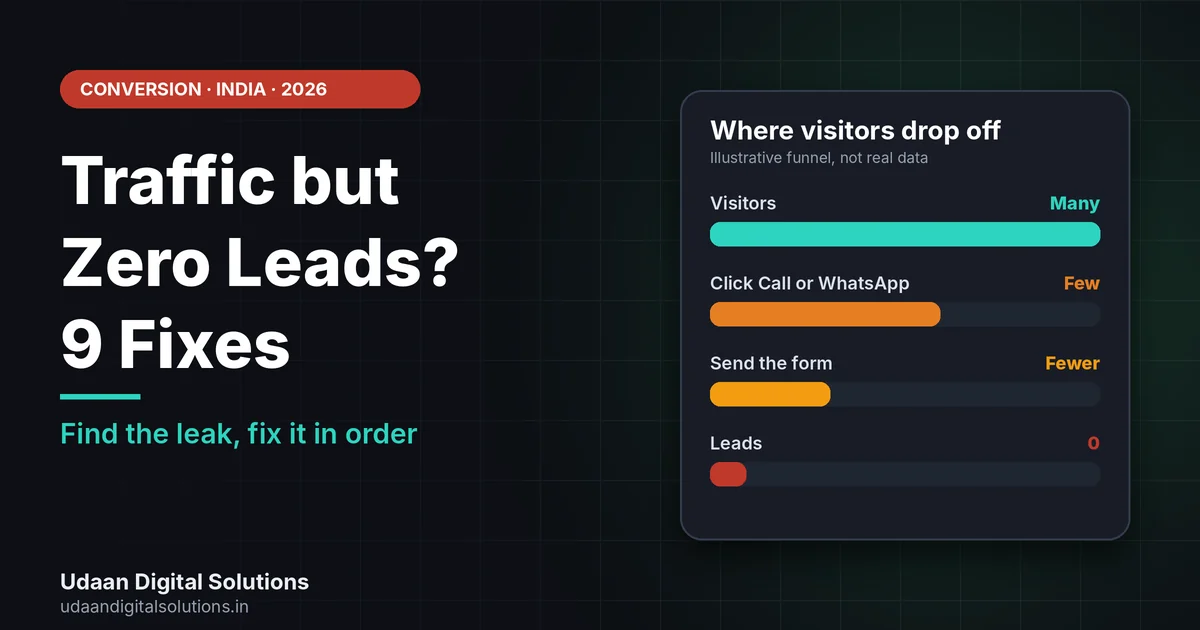
Traffic but zero leads usually means one of three things: the wrong visitors, a page that does not ask clearly, or friction and distrust when visitors try to act. Check your tracking first, then fix the offer, call-to-action buttons, form, speed and trust signals in that order.
Your Search Console shows clicks and your analytics shows visitors, but the phone does not ring and the form stays empty. It is a common and fixable problem. This guide shows why you get traffic but zero leads, and nine fixes you can test on your own site, in the order that matters.
Why does a website get traffic but zero leads?
A website gets traffic but zero leads when visitors arrive and do not take any action you can count. The cause is usually in one of four places: the visitors are not the right buyers, the page does not make the next step clear, something creates friction or doubt, or the leads are happening but are not being tracked.
The table below helps you tell the four apart before you change anything. Matching the symptom to the cause saves time, because each cause needs a different fix.
| Likely cause | What you see | How to check |
|---|---|---|
| Wrong visitors | Many visits, almost no enquiries, high exits on the first page | Open Search Console and compare the queries with the page they land on |
| Unclear next step | Visitors scroll but nothing is clicked | Watch recordings: is there one obvious button above the fold? |
| Friction or distrust | Visitors start a form or click a button and leave | Test the form and buttons on a phone, and look for real proof on the page |
| Broken tracking | You get enquiries by phone or WhatsApp that your reports never show | Make a test enquiry and see whether it is counted as a key event |
Check that your leads are being counted
When you have traffic but zero leads, check that you are not losing leads in a broken form or missing tracking. Google Analytics uses key events to measure the actions that are important to your business. Any event you collect can be marked as a key event, so a form submit, a phone tap or a WhatsApp click can all be counted.
Then test your own site like a customer. Fill the form, tap Call, tap WhatsApp, and check that you receive each one. If you have not connected Search Console yet, use our Google Search Console setup guide so you can see which queries bring visitors to each page.
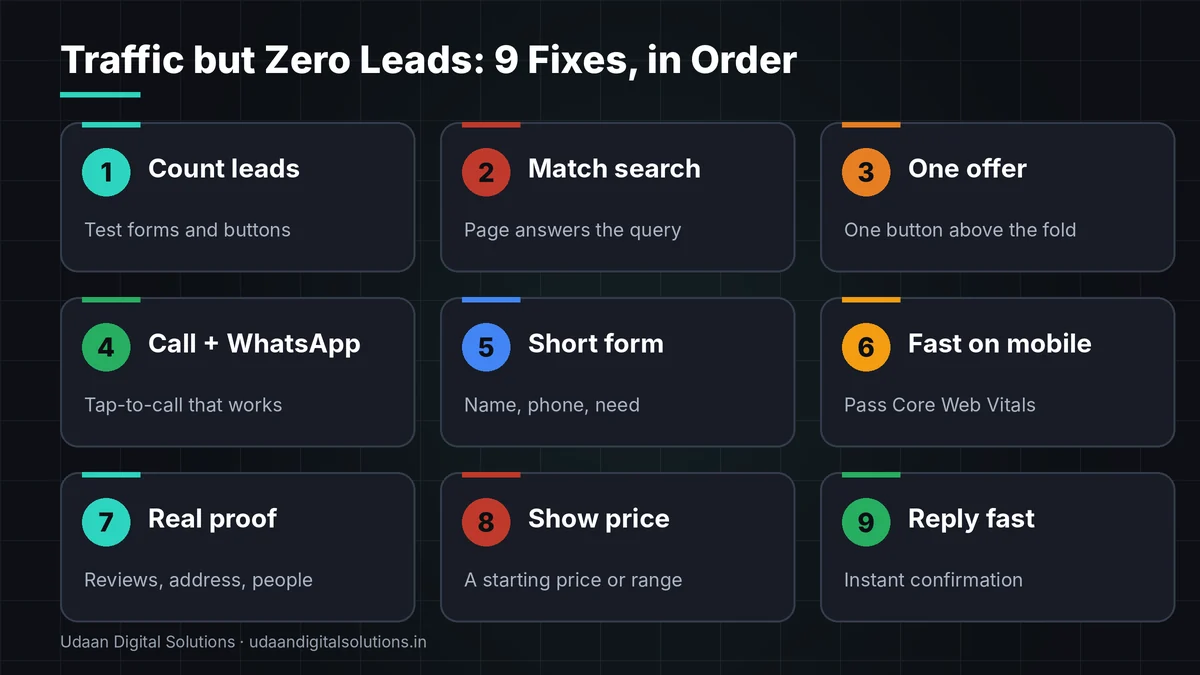
9 fixes when you have traffic but zero leads
Work through these traffic but zero leads fixes in order. Each fix is small enough to test in a day, and the earlier fixes affect every later one.
Make sure leads are counted
You cannot fix what you cannot see. Test every form, tap-to-call number and WhatsApp button yourself. Then confirm each one is recorded as a key event in Google Analytics, which is how Analytics marks the actions that matter most to your business. A site with traffic but zero leads may actually be losing them in a form that never sends email.
Match each page to the search that brings visitors
In the Search Console performance report, look at which queries bring people to a page. If people search “price” and land on a page with no price, they leave. A page should answer the query that brought the visitor, in the first screen.
Put one clear offer above the fold
Visitors decide in seconds whether a page is for them. Say what you do, for whom, and what to do next. “Free website and SEO audit” is clearer than “Welcome to our website”. Keep one main offer per page, not five.
Add real Call and WhatsApp buttons
In India, many buyers prefer to call or message on WhatsApp instead of filling a form. Add a tap-to-call button and a WhatsApp button with a ready message, and keep them visible on mobile. Check that the number is correct and that the links open properly on both Android and iPhone.
Shorten the form
Every extra field gives a visitor a reason to leave. For a first enquiry, ask for name, phone or WhatsApp number, and a short need. You can collect the rest on the call. If your form asks for five or six fields, cut it down first and see what changes.
Want us to find where your leads are leaking?
Udaan Digital Solutions can review your site, tracking and forms and tell you the first three fixes to make. Our Growth Bundle includes lead capture forms and conversion tracking.
Get a Free Audit See Pricing →Make the page fast and stable on mobile
Most Indian visitors arrive on a phone, often on mobile data. Google’s Core Web Vitals targets are loading in 2.5 seconds or less, interaction response in 200 ms or less and layout shift of 0.1 or less. Heavy images and sliders are common reasons for a slow first screen.
Show real proof, not empty numbers
Visitors who do not know you need a reason to trust you: real reviews, a real address, named people, photos of your work and a verified Google Business Profile. Counters that show “0 clients” or invented numbers do more harm than good. If you have no proof yet, show your process and offer a free audit.
Say the price, or a starting price
In India, “kitna lagega?” is often the first question. A page that hides price makes visitors leave to find it elsewhere. Even a starting price or a range filters out the wrong buyers and attracts the right ones. See what a clear price page looks like in our website cost guide.
Reply fast and follow up
A lead that waits hours often goes to the next business. Set up an automatic WhatsApp or email reply so every enquiry gets an immediate acknowledgement, and a person follows up within a set time. Tools such as a WhatsApp reply system can help, but a human call still closes most deals.
How to find where visitors leave
To diagnose traffic but zero leads, you do not need expensive tools. Combine three free ones. Search Console shows the queries that bring visitors. Google Analytics shows which actions are counted. Microsoft Clarity is a behaviour tool that offers session recordings and heatmaps showing where people click, scroll and drop off, and its own site says it is free forever.
Watch ten recordings of visitors on your top page. Look for visitors who scroll and leave, tap something that is not a link, or start the form and stop. That is more useful than guessing. Note that recordings and heatmaps use cookies or similar tools, so tell visitors in your privacy notice and follow the rules that apply in your market.
If you run an online store: traffic but zero sales
Stores have the same traffic but zero leads problem in a different form: visitors but no orders. Baymard Institute’s list of 50 studies puts the average cart abandonment rate at 70.22%, and its survey of US shoppers lists the reasons: extra costs too high (40%), delivery too slow (20%), no trust in the site with card details (19%), forced account creation (18%) and a long or complicated checkout (17%). These are US figures, but the pattern is a useful checklist for any store.
In practice, show total price including shipping early, offer guest checkout, show trusted payment options and make the checkout short. If you are planning a store, see our website cost in India guide for what a store costs.
Common mistakes when fixing traffic but zero leads
Buying more traffic first
More visitors multiply what the page already does. If the page does not ask clearly, you pay for more silent visits.
Changing everything at once
A new design, new text and new forms together make it impossible to know what worked.
Judging only on desktop
You may design on a laptop while most visitors use a small phone screen where buttons are hard to tap.
Copying a competitor’s page
Their traffic, price and trust are not yours. A copied offer without proof feels empty.
Traffic but zero leads checklist
Use this traffic but zero leads list on your top page. Tick each item only after you have tested it on a phone.
- Tracking: Forms, calls and WhatsApp clicks are recorded as key events.
- Intent match: Top pages answer the query that brings people.
- Offer: One clear offer and one main button above the fold.
- Contact: Tap-to-call and WhatsApp work on mobile.
- Form: Three fields or fewer, with a confirmation message.
- Speed: Core Web Vitals are in the good range on mobile.
- Trust: Real reviews, address and named people are visible.
- Price: A starting price or range is shown.
- Follow-up: Every enquiry gets a fast reply.
If you are still deciding how much to spend on marketing, read our guide to digital marketing agency cost in Greater Noida. If you want customers from nearby searches, also see Google Business Profile optimization.
Frequently asked questions: traffic but zero leads
Why does my website get traffic but zero leads?
Usually one of three reasons: the visitors are not the right buyers, the page does not make the next step clear, or something blocks action, such as a slow page, a long form or missing trust signals. First confirm your lead tracking works, then fix the offer, button and form.
How many visitors do I need before I can expect leads?
There is no fixed number, because it depends on your offer, price and audience. A site with a few hundred well-matched visitors a month can still produce enquiries, while thousands of wrong-intent visitors may produce none. Look at the match between search queries and page, not only the visitor count.
Is it a tracking problem or a real conversion problem?
Check both. Test every form, call button and WhatsApp button yourself, then see whether the action appears as a key event in Google Analytics. If your own test enquiries are counted and real ones are not, the problem is the page. If nothing is counted, fix tracking first.
Should I buy more traffic or fix the website first?
Fix the website first. Paid or organic traffic multiplies whatever your page already does, so more visitors to a page that does not ask clearly just means more wasted visits. Make one offer and one button work, then add traffic.
What is the quickest fix for a website with no enquiries?
Add one clear action above the fold, such as a Call or WhatsApp button, and shorten your form to name, phone number and what the visitor needs. Make sure both work on mobile. These two changes are fast, cheap and affect almost every page.
Can slow speed cause traffic but zero leads?
Yes, it can contribute. Google publishes Core Web Vitals targets for loading, interactivity and layout stability, and a page that misses them can feel slow or jumpy on a phone. Speed is rarely the only cause, so check it alongside your offer, buttons and trust signals.
Related reading and sources
- Website Cost in India 2026: A Clear Price Guide
- Improve Core Web Vitals on WordPress
- WhatsApp Business App vs API
- Google Analytics Help: About key events
- Microsoft Clarity documentation
- Baymard Institute: Cart abandonment rate statistics
Final verdict
If you have traffic but zero leads, first confirm your leads are counted, then match each page to the search that brings visitors, show one clear offer and real Call and WhatsApp buttons, shorten the form, speed up mobile, add real proof and a starting price, and reply fast. Change one thing at a time. For a free review, contact Udaan Digital Solutions, Greater Noida, on +91 7042278448.
Get a free website and lead audit
Share your website and we will point out the first fixes, in plain language.
Contact Udaan Digital Solutions
© 2026 Udaan Digital Solutions · Greater Noida, Uttar Pradesh, India · udaandigitalsolutions.in
Sources were read on 22 October 2026: Google Analytics Help, Microsoft Clarity documentation and website, and Baymard Institute (cart abandonment figures are US-based and are not specific to India). Results depend on your offer, price and audience. We do not guarantee a number of leads or sales.