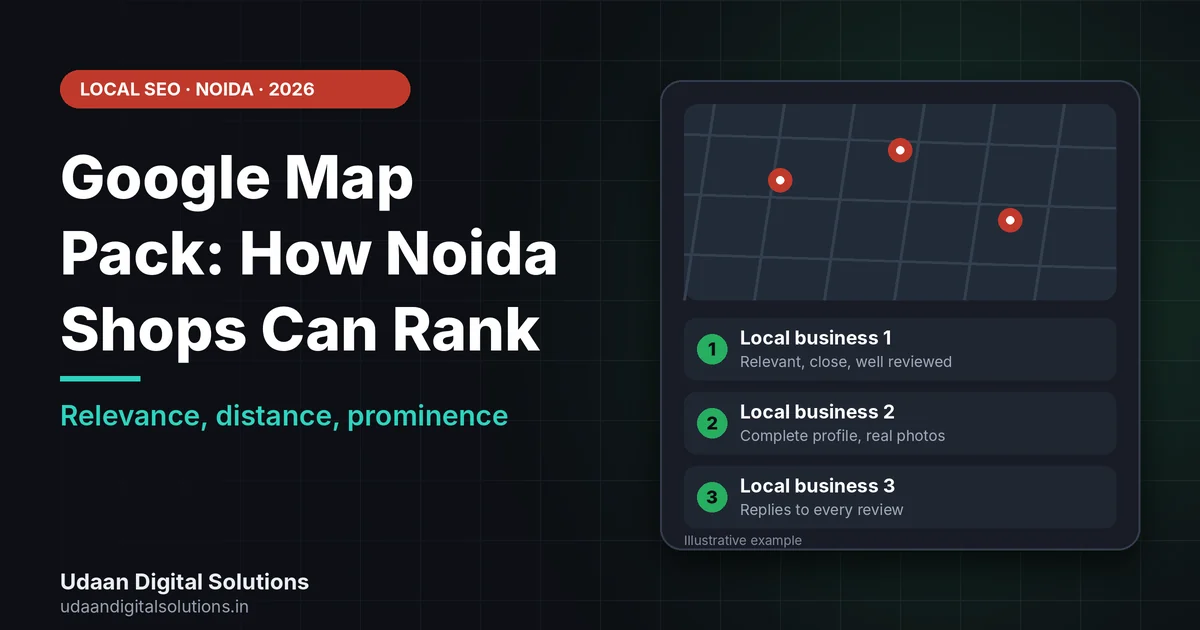
To appear in the Google map pack in Noida, verify your Business Profile, choose accurate categories, complete every detail, add real photos, collect genuine reviews and reply to them, and match your website to your profile. Google says local ranking depends on relevance, distance and prominence, and you cannot pay for it.
When someone in Noida searches for a salon, pharmacy, tutor or repair shop, Google shows a small map with a few businesses before the normal results. Getting into that Google map pack can bring calls and visits without a big budget. This guide explains how Google decides and gives ten steps you can do yourself, using Google’s own guidance.
How does the Google map pack decide who ranks?
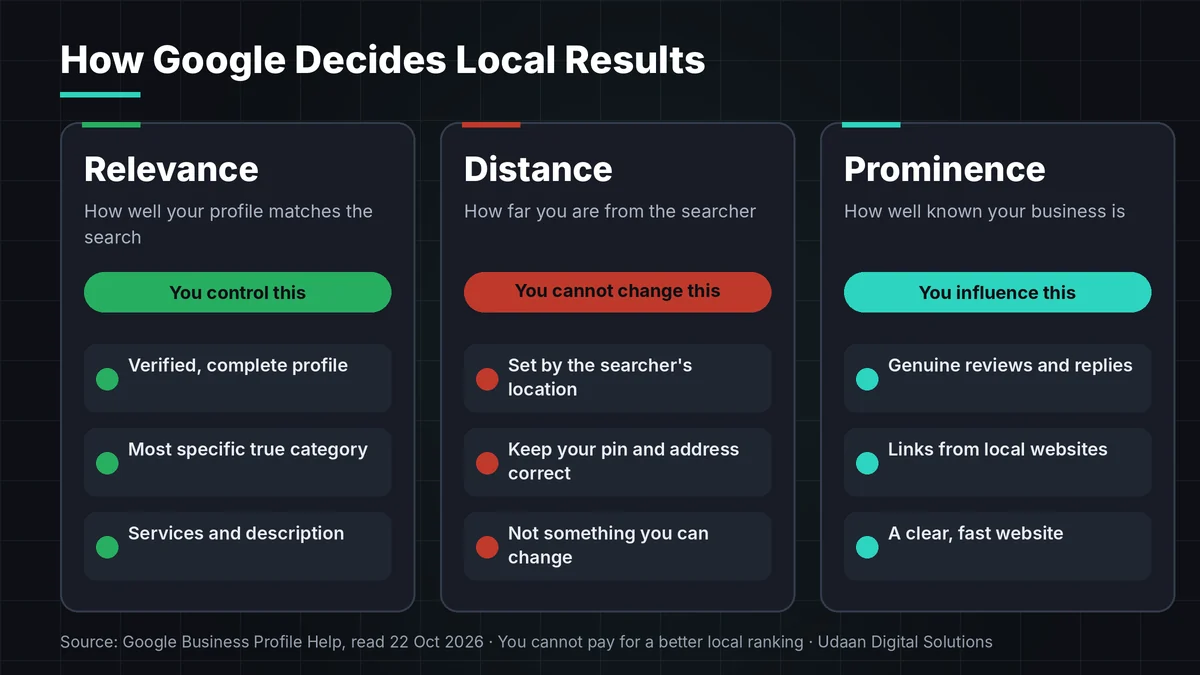
The Google map pack is the common name for the map and short list of local businesses that Google shows for local searches. Google itself calls these local results, and says they are mainly based on relevance, distance and prominence. Understanding these three Google map pack factors tells you what you can change and what you cannot.
| Factor | What it means | What you can do |
|---|---|---|
| Relevance | How well your profile matches what the person searched for | Complete, accurate details, the right category, services and a clear description |
| Distance | How far your business is from the searcher | You cannot change it, but you can make sure your pin and address are correct |
| Prominence | How well known your business is, including links from websites and review count | Genuine reviews, replies, mentions on local websites, a strong website |
Distance matters because results change with where the searcher is. A shop in Sector 18 may appear for people nearby but not for someone far across the city, and you cannot change that. What you can do is make your profile the most relevant and the most trusted among the shops that are close to the searcher. If you have not set up your profile fully yet, start with our Google Business Profile optimization guide.
10 steps to rank in the Google map pack
These Google map pack steps follow Google’s own advice and are ordered from the quickest wins to the slower work. Do the first four this week.
Verify your Business Profile
Google says verification shows you are authorized to represent the business and makes your profile more likely to appear in results. Claim the profile, complete verification and use one profile per business location. Do not create duplicates, because Google asks for only one profile per business.
Choose the right categories
Google asks you to choose the fewest categories needed to describe your core business, as specific as possible. Categories should describe what you are, not what you sell or have. Wrong categories are a common reason a good shop does not appear for its main search.
Fill in every detail accurately
Complete details matter for the Google map pack. Complete and accurate information makes a business more likely to appear in local results, according to Google. Add address, hours, phone, website, attributes, services and products. Use your real-world name as on your signboard, not extra keywords or locations.
Add real photos and videos
Photos help people choose and show Google what you offer. Add the storefront, the inside, products, your team and the neighbourhood around you, for example the sector or market someone will recognise. Use your own photos, not stock images.
Collect genuine reviews
Google says you can ask customers to use a Google link or scan a QR code, and that reviews must reflect a genuine experience. Offering free or discounted goods or services in exchange for reviews is treated as fake and misleading content. Ask after a good visit, in person, on WhatsApp or on the bill.
Want help with your Google Business Profile?
Udaan Digital Solutions in Greater Noida includes Google Business Profile setup in its Starter Business Bundle, and offers SEO plans from ₹7,999 per month.
Get a Free Local SEO Audit See What It Costs →Reply to every review
Google notes that positive reviews and helpful replies can help your business stand out. Thank happy customers by name. Reply to a bad review calmly, offer to fix the problem and take long details offline. Never argue in public.
Make your website match your profile
Your website is where the profile sends people, so it should show the same name, address and phone, a clear map and your services. Add a local page or section for each real location or service. If your site is slow or hard to use on mobile, fix that too.
Build local prominence
Prominence is how a shop climbs in the Google map pack. It is about how well known you are. Google says it is based on factors such as how many websites link to your business and how many reviews you have. Get listed in real local places: your market association, a local business directory, supplier pages and local news mentions.
Set up service areas correctly if you travel to customers
If you do not serve customers at your address, Google says to remove your address from the profile. A service-area business can add up to 20 service areas by city or postal code, cannot use a radius, and should keep the overall area within about two hours of driving time.
Track what matters
Watch Google map pack results through calls, direction requests, website clicks and the searches that show your profile in your Business Profile reports. Compare month by month and change one thing at a time. Do not judge only by a position you see on your own phone, because results depend on where the searcher is.
A 30-day plan to improve your Google map pack position
Use this simple Google map pack plan if you are starting from a half-finished profile. It keeps the work small enough to finish while you run your shop.
| Week | What to do | Result |
|---|---|---|
| Week 1 | Claim and verify, fix categories, name, address, hours, phone and website | Profile is complete and consistent |
| Week 2 | Add services, products, description and ten real photos | Profile is rich and relevant |
| Week 3 | Print the QR code, start asking for reviews, reply to old reviews | Review flow is running |
| Week 4 | Fix website contact page and speed, request three local listings or links | Prominence work has started |
Keep records so you can see Google map pack progress. If you have a website, connect it to Search Console using our Google Search Console setup guide, so you can see which searches reach your site.
Google map pack mistakes that can get you suspended
These are the Google map pack mistakes we would avoid first. They can lower trust or lead to a suspended profile.
Stuffing keywords into the business name
Google’s guidelines say your name should reflect your real-world business name as used on your storefront, and do not allow service, product or location details in the name. Unnecessary information can lead to suspension.
Buying reviews or offering rewards for them
Google treats incentivized and fake reviews as prohibited content. It can remove the reviews and harm your profile.
Using a fake or virtual address
Google does not accept mailboxes or virtual offices where the business does not operate, and it expects permanent signage for a storefront address.
Believing a guaranteed ranking
Google says there is no way to request or pay for a better local ranking. A promise of a guaranteed position should make you ask questions.
Google map pack checklist
Tick each Google map pack item and review the list once a month.
- Verified: Your profile is claimed, verified and not duplicated.
- Category: The main category is the most specific true one.
- Details: Name, address, phone and hours match your signboard and website.
- Photos: At least ten recent real photos.
- Reviews: A QR code and a review link, with no rewards offered.
- Replies: Every review answered.
- Website: Same details, a map and a fast mobile page.
- Links: Listed on real local websites.
- Tracking: Calls and direction requests noted every month.
If you want a partner for local SEO in the area, see our page on the best SEO company in Greater Noida and our digital marketing services in Greater Noida.
Frequently asked questions: Google map pack
What is the Google map pack?
The Google map pack is the common name for the box of local business results with a map that appears for searches like “salon near me”. Google itself calls these local results. The businesses shown are chosen mainly by relevance, distance and prominence, so a complete, verified Business Profile is the starting point.
How does Google decide who appears in local results?
Google says local results are mainly based on relevance, distance and prominence. Relevance is how well your profile matches the search, distance is how far you are from the searcher, and prominence is how well known you are, based on factors such as links from websites and reviews.
Can I pay Google to rank higher in the map pack?
No. Google states that there is no way to request or pay for a better local ranking. Be careful with anyone who promises a guaranteed map pack position for a fee. You can run Google Ads separately, but ads are a different product from organic local results.
How many reviews do I need to rank?
There is no magic number. Google says more reviews and positive ratings can help your local ranking, but quality and consistency matter. Ask real customers after a real visit using your Google link or QR code, reply to every review, and never offer discounts or gifts in return for reviews.
Can I rank in the map pack from my home or without a shop?
If you visit customers and do not serve them at your address, you can set up a service-area business and hide your address. Google allows up to 20 service areas and no radius, and a profile cannot use a mailbox or virtual office as its address. Follow Google’s rules to avoid suspension.
How long does it take to improve map pack rankings?
It varies with competition, your area and how complete your profile is. Verification and profile fixes can be done in days, while reviews, links and a stronger website build over weeks and months. Track calls, direction requests and searches in your Business Profile rather than expecting a fixed timeline.
Related reading and sources
- Google Business Profile Optimization in Greater Noida
- UDS plans and pricing
- Google Business Profile Help: Improve your local ranking
- Google Business Profile Help: Reviews
- Google Business Profile Help: Service-area businesses
- Google Business Profile Help: Representing your business on Google
Final verdict
To rank in the Google map pack in Noida, verify your Business Profile, use accurate categories and your real name, complete every detail, add real photos, collect genuine reviews without rewards, reply to them, and keep your website consistent. You cannot pay for a ranking, and distance is outside your control. Udaan Digital Solutions, Greater Noida, can help: +91 7042278448.
Get a free local SEO audit
Tell us your shop name and area, and we will review your Google Business Profile and give you the first fixes.
Contact Udaan Digital Solutions
© 2026 Udaan Digital Solutions · Greater Noida, Uttar Pradesh, India · udaandigitalsolutions.in
Google Business Profile Help pages were read on 22 October 2026. “Map pack” is an industry term, not an official Google name. Rankings vary by searcher location and can change. Udaan Digital Solutions pricing is from its pricing page as read on 20 October 2026. We do not guarantee any ranking or result.