 Website Conversion · Fix Guide · 2026
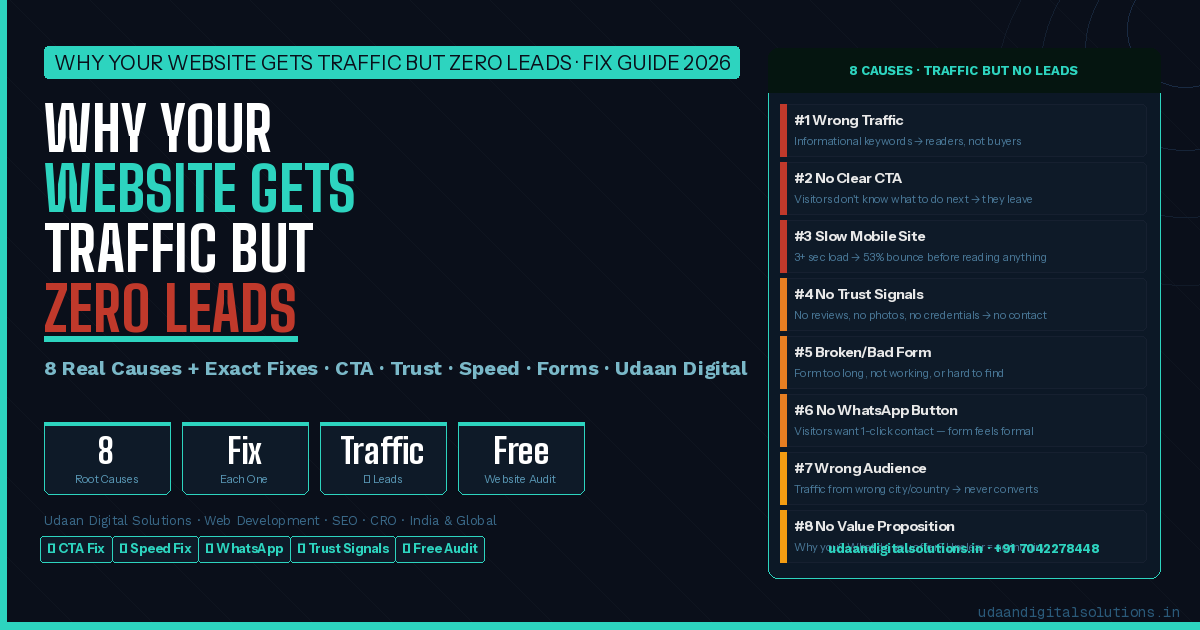
Why Your Website Gets Traffic but Zero Leads — 8 Real Causes & Exact Fixes
If your website is getting traffic but generating zero leads, the problem is almost never the traffic itself — it is one or more of eight specific conversion failures: #1 wrong keyword intent (informational visitors, not buyers), #2 no clear call-to-action, #3 slow mobile page speed (53% of users leave before 3 seconds), #4 no trust signals, #5 broken or friction-heavy contact form, #6 no WhatsApp button (the highest-converting CTA in India and many Asian markets), #7 wrong geographic audience, #8 unclear value proposition. Each cause has an exact fix — and most can be implemented in under a week without rebuilding the entire website. Free website audit available — call +91 7042278448
Traffic without leads is one of the most frustrating situations in digital marketing — and one of the most common. A business invests in SEO or Google Ads, watches the analytics show hundreds or thousands of visitors per month, and gets almost no inquiries. The natural reaction is “the SEO is not working” or “Google Ads is a waste.” But traffic and leads are separate problems. Traffic means people are finding you. Zero leads means something on your website is stopping them from contacting you. This guide identifies exactly what that something is — and how to fix it.
📋 Table of Contents
- Traffic vs Leads — Why They Are Different Problems
- Cause #1 — Wrong Keyword Intent (Informational vs Commercial)
- Cause #2 — No Clear Call-to-Action
- Cause #3 — Slow Mobile Page Speed
- Cause #4 — No Trust Signals
- Cause #5 — Broken or Friction-Heavy Contact Form
- Cause #6 — No WhatsApp Button
- Cause #7 — Wrong Geographic Audience
- Cause #8 — Unclear Value Proposition
- How to Diagnose Your Specific Problem — 5-Step Check
- Quick Wins — What to Fix This Week
- Client Story: 480 Monthly Visitors → 0 Leads → Fixed in 3 Weeks
- Frequently Asked Questions
- Useful Links
- Final Verdict
1. Traffic vs Leads — Why They Are Different Problems
Google Analytics showing 500 monthly visitors and your phone showing zero inquiry calls are measuring two different things — and they are fixed by two different interventions. Traffic is an SEO problem (getting people to your website). Leads are a conversion problem (getting those people to contact you). Most businesses that have traffic-without-leads have solved the SEO problem and have not yet addressed the conversion problem.
| Metric | What It Measures | What Fixes It |
|---|---|---|
| Monthly visitors (Google Analytics) | How many people reached your website | SEO · Google Ads · Social Media — traffic generation |
| Bounce rate | % who leave without any interaction — first signal of a conversion problem | Page speed · Content relevance · Mobile design · CTA placement |
| Time on page | How long visitors stay — longer = more engaged, more likely to convert | Content quality · Page structure · Clear next steps |
| Contact form submissions / calls | Actual leads — the number that matters for business | All 8 causes in this guide |
| Conversion rate | % of visitors who contact you — industry average: 2–5% | The complete conversion optimisation programme |
2. Cause #1 — Wrong Keyword Intent: Informational vs Commercial
This is the most common cause of traffic-without-leads — and the most overlooked. Google Analytics shows 400 visitors/month. But if 350 of those visitors came from searches like “how to fix a leaking pipe” or “what is digital marketing” — they are researching, not buying. They read your page, get the information they needed, and leave. They were never going to become leads from that visit.
The fix is not to stop targeting informational keywords. It is to also target commercial-intent keywords — “plumber in [city],” “digital marketing agency for small business,” “hire a web developer” — that attract visitors who are actively looking to buy or hire. Check your Google Search Console → Performance → Queries. What percentage of your top traffic keywords contain words like “how,” “what,” “why,” “guide,” or “tips”? Those are informational. How many contain “hire,” “best,” “near me,” “cost,” “service,” or your city name? Those are commercial.
3. Cause #2 — No Clear Call-to-Action
Visitors do not automatically scroll to the footer to find your phone number. They do not naturally navigate to the “Contact” page after reading about your services. They need to be told — clearly and immediately — what the next step is. If your homepage does not have a visible, specific CTA in the first screen (above the fold, before any scrolling), you are losing a significant percentage of visitors who would have contacted you if they had been clearly prompted.
The most common CTA mistakes on Indian business websites: CTA buried in the footer only. CTA that says “Contact Us” without specifying what happens when they do. CTA button that looks like regular text. Multiple competing CTAs that create decision paralysis. CTA that is not visible on mobile without scrolling.
4. Cause #3 — Slow Mobile Page Speed
Google’s own research: 53% of mobile site visits are abandoned if a page takes longer than 3 seconds to load. In India specifically, where a significant proportion of web traffic comes from 4G connections on mid-range Android phones, page speed is critical. A PageSpeed Mobile score below 50 means a large proportion of your visitors are leaving before they ever see your services, your CTA, or your contact form. They are counted as visitors in your analytics — but they never had the chance to become leads.
The most common culprits: large uncompressed images (a single hero image at 4MB is the most common cause), unnecessary JavaScript loading on every page, premium WordPress themes with 40+ scripts loading regardless of what the page needs, no caching configured, cheap shared hosting that responds slowly at peak hours.
5. Cause #4 — No Trust Signals
When a visitor lands on your website, they are simultaneously reading your content and evaluating whether you are trustworthy enough to contact. A website with no customer reviews, no team photos, no credentials or certifications, no recognisable client logos, and no physical address signals uncertainty — even if the service is genuinely excellent. In India and across most markets, visitors who cannot verify a business’s legitimacy at a glance simply leave rather than take the risk of contacting an unknown entity.
The most common trust signal gaps on Indian business websites: no Google reviews or testimonials displayed on the site. Team page with no real photos (only stock images). No physical address or phone number visible on every page. No certifications, awards, or press mentions. No recognisable client or partner logos. About page with no founder story or team background.
6. Cause #5 — Broken or Friction-Heavy Contact Form
Contact form failures are among the most common causes of traffic-without-leads — and the most invisible. A form can look perfectly functional in the browser while silently failing to deliver submissions to your email for months. The most common failure mode: the WordPress hosting server’s SMTP is not configured, so form submissions generate no email notification. Visitors fill the form, click submit, see a “thank you” message, and the inquiry vanishes into nothing while you assume no one is interested.
Other form friction points that reduce conversions: too many required fields (name, email, phone, company, budget, project description, timeline — visitors abandon long forms). CAPTCHA that is confusing or reloads the page. Form not visible on mobile without scrolling. No confirmation email sent to the visitor after submission. Form only on the Contact page — no form embedded on the homepage or service pages.
7. Cause #6 — No WhatsApp Button
In India, WhatsApp is not just a messaging app — it is the primary business communication channel for hundreds of millions of people. A visitor on your website who wants to ask a quick question — “what are your charges?”, “are you available this week?”, “can you share your portfolio?” — faces a choice between filling a formal contact form (which feels impersonal and requires waiting) or tapping a WhatsApp button (which opens an immediate, familiar conversation). The overwhelming majority choose WhatsApp — or leave if there is no WhatsApp button available.
This applies equally to businesses serving Indian customers in the UK, US, Canada, and Australia — and increasingly to non-Indian customers in these markets who have adopted WhatsApp. For any business with an Indian or South Asian customer base, the absence of a WhatsApp button is one of the highest-cost conversion failures on the website.
8. Cause #7 — Wrong Geographic Audience
A local service business — a coaching institute in Greater Noida, a clinic in Kanpur, a plumber in Manchester — can only serve customers in its geographic area. If Google Analytics shows 600 monthly visitors but 400 of them are from a different city, state, or country, the conversion rate from those 400 will be zero regardless of how well the rest of the website is optimised. They cannot be customers.
This commonly happens when: blog content ranks nationally or internationally for informational keywords while the business only serves locally. Google Ads are running without geographic targeting configured. The website’s SEO targets broad keywords without city-level modifiers. Social media posts generate traffic from followers in different cities.
9. Cause #8 — Unclear Value Proposition
A visitor landing on your homepage has one implicit question: “Why should I contact this business instead of the others I can find?” If your website cannot answer that question in the first 5 seconds — with a clear, specific, differentiated value proposition — they will find a website that can. Vague language like “we provide quality services with customer satisfaction” answers nothing and differentiates from nobody.
A value proposition is not your tagline. It is a specific, believable answer to why a customer in your market should choose you — based on something real: speed of delivery, pricing transparency, a specific result you have delivered, a unique approach, a specific guarantee, a specialisation that your competitors do not have.
10. How to Diagnose Your Specific Problem — 5-Step Check
| Step | Where to Check | What to Look For | What It Diagnoses |
|---|---|---|---|
| 1 | GSC → Performance → Queries | Are top keywords informational (“how,” “what”) or commercial (“hire,” “best,” “[city]”)? | Cause #1 — keyword intent mismatch |
| 2 | pagespeed.web.dev → your URL → Mobile | Score below 60? Check “Opportunities” section for specific fixes | Cause #3 — mobile speed |
| 3 | Your own website on mobile phone | Is there a CTA visible without scrolling? Is there a WhatsApp button? | Causes #2 and #6 — CTA and WhatsApp |
| 4 | GA → Audience → Geo → Location | What % of visitors are from your actual service area? | Cause #7 — geographic mismatch |
| 5 | Send yourself a test form submission | Does an email arrive in your inbox within 2 minutes? | Cause #5 — form delivery failure |
11. Quick Wins — What to Fix This Week
- Day 1 — Test your contact form: Submit a test inquiry from your contact page right now. If you do not receive an email within 2 minutes, your form is failing silently. Install WP Mail SMTP with Gmail — this is the single most important immediate fix.
- Day 1 — Add WhatsApp button: Install WP Social Chat (free plugin) or add a wa.me floating button with your number. Every day without this button is leads your competitors are capturing instead of you.
- Day 2 — Add one CTA above the fold: Your homepage needs one specific, coloured button CTA visible on the first screen without any scrolling. “Get a Free Quote” or “WhatsApp Us Now” — pick one and make it obvious.
- Day 2 — Check PageSpeed Mobile: Go to pagespeed.web.dev, enter your URL, check Mobile score. If under 60, compress all your images with ShortPixel and install WP Rocket. This alone can halve your bounce rate.
- Day 3 — Add 3 trust signals: Pick any three: a testimonial with a real name, your phone number in the header, a team photo, your address, a client logo, a certification. Add all three to your homepage today.
- Day 4 — Check your traffic geography: Google Analytics → Audience → Geo → Location. If over 50% of traffic is from outside your service area, your SEO keyword strategy needs to add city-level terms.
- Day 5 — Rewrite your homepage headline: Replace any generic tagline with a specific value proposition: “We [do X] for [specific customer] in [location] — [specific differentiator].” One specific sentence outperforms any generic headline.
12. Client Story: 480 Monthly Visitors → 0 Leads → Fixed in 3 Weeks
📌 Service Business, Greater Noida. 480 monthly visitors per Google Analytics. Zero contact form submissions in the past 3 months. No WhatsApp inquiries.
The audit findings (completed in 45 minutes):
Cause #5 confirmed first: Test form submission sent. No email received after 10 minutes. The WordPress contact form had never been delivering emails — the hosting server’s SMTP was not configured. Every form submission for the past 6 months had silently failed. Estimate: 15–25 genuine inquiries lost with no way to recover them.
Cause #3 confirmed: PageSpeed Mobile score: 31. Hero image: 3.8MB uncompressed JPEG. Load time on a standard 4G connection: 6.2 seconds. With 53% bounce at 3+ seconds, approximately 255 of the 480 monthly visitors were leaving before the page finished loading.
Cause #6 confirmed: No WhatsApp button anywhere on the website. No phone number visible without scrolling to footer. The only contact method was the broken contact form.
Cause #1 partial: GSC data showed 60% of traffic from informational keywords (“how to [service category]”) — attracting researchers, not buyers.
Fixes implemented over 3 weeks:
• Week 1: WP Mail SMTP installed and tested — form now delivering. WhatsApp floating button added. Phone number moved to header. PageSpeed images compressed (3.8MB → 180KB) — Mobile score: 31 → 79.
• Week 2: Homepage headline rewritten with specific value proposition. 4 genuine testimonials added. Physical address added to footer. Team photo added to About page.
• Week 3: 5 new commercial-intent pages targeting “[service] in Greater Noida” keywords. Homepage CTA button added above fold in contrasting colour.
Results at 30 days (same traffic volume — no increase in visitors):
• Contact form submissions: 0 → 11/month
• WhatsApp inquiries: 0 → 9/month
• Total leads from same traffic: 0 → 20/month
• Bounce rate: 74% → 38%
“We thought no one was interested in our services. The website was actually getting good traffic. The form was broken from the beginning and we didn’t know. And we didn’t have WhatsApp which is how most people actually want to contact a business. Fixing both took less than a week and completely changed our results.”
13. Frequently Asked Questions
Why does my website get traffic but no leads?
Eight most common causes: (1) wrong keyword intent — informational traffic, not buyers; (2) no clear CTA visible above the fold; (3) slow mobile page speed (53% bounce at 3+ seconds); (4) no trust signals — no reviews, no photos, no credentials; (5) broken or friction-heavy contact form; (6) no WhatsApp button; (7) wrong geographic audience; (8) unclear value proposition. Check all 8 — fixing even 2–3 typically moves conversion rate from 0% to 1–3%.
What is a good website conversion rate in India?
Industry average for service business websites: 2–5%. Meaning for every 100 visitors, 2–5 should contact you. If you have 500 monthly visitors and zero leads, your conversion rate is 0% — which means at least one (usually several) of the 8 causes above is present. A well-optimised local service business website should convert 3–7% of relevant local traffic.
How do I fix my contact form not delivering emails?
The most common cause: WordPress hosting server SMTP not configured, so form submissions generate no email delivery. Fix: install WP Mail SMTP plugin (free) → connect to your Gmail account via App Password → test form submission → confirm email arrives within 2 minutes. This resolves 90% of WordPress contact form delivery failures. For non-WordPress sites, configure SMTP credentials in your hosting control panel or use a transactional email service (Mailgun, SendGrid).
How important is a WhatsApp button on a website for Indian businesses?
Very important — often the single highest-converting CTA on an Indian business website. WhatsApp is the primary business communication channel across India. Visitors who want a quick question answered will WhatsApp before they fill a formal contact form. Adding a floating WhatsApp button typically generates 5–20 additional inquiries per month for local service businesses in India, depending on traffic volume. Implementation takes less than 30 minutes on WordPress.
How do I check if my website has a page speed problem?
Go to pagespeed.web.dev and enter your URL. Check the Mobile score specifically — desktop scores are almost always higher and less relevant (most Indian web traffic is mobile). Score above 80: good. Score 60–79: improvable. Score below 60: significant speed problem actively causing visitor loss. The “Opportunities” section of the PageSpeed report shows specific fixes ranked by potential impact — start with the highest-impact item, which is usually image compression.
Can Udaan Digital Solutions fix a website that gets traffic but no leads?
Yes — this is one of the most common engagements. We audit your website against all 8 causes, identify which specific ones are failing your business, and implement fixes. Most conversion fixes can be implemented in 1–3 weeks without rebuilding the entire website. Free website audit available — we identify your specific problem before any payment. Call +91 7042278448 or contact us at udaandigitalsolutions.in.
14. Useful Links
- Free Website Audit — Udaan Digital Solutions
- Best Website Development Company in Greater Noida
- Best SEO Company in Greater Noida
- Best Digital Marketing Agency in Greater Noida
- Best Website Development Company in Kanpur
- View All Services & Pricing
- Google PageSpeed Insights — Test Your Website
- Google Search Console — Check Your Keywords
- Google Analytics — Check Your Traffic Geography
15. Final Verdict
Traffic without leads is not a traffic problem — it is a conversion problem. The client story above is the pattern: 480 monthly visitors, zero leads, broken contact form, no WhatsApp button, 6-second mobile load time. Three weeks of fixes — no increase in traffic, same 480 visitors — and the result was 20 leads per month. The visitors were always there. The website was failing to convert them.
Check all 8 causes this week. Start with the quick wins: test your contact form right now, add a WhatsApp button today, check your PageSpeed Mobile score. These three actions take less than a day and frequently unlock the majority of leads your website has been silently losing for months.
- 8 causes: keyword intent mismatch · no CTA · slow mobile · no trust signals · broken form · no WhatsApp · wrong geography · unclear value proposition.
- Diagnose in 5 steps: GSC queries check · PageSpeed Mobile · mobile CTA + WhatsApp visual check · GA geography · test form submission.
- Quick wins this week: fix form delivery · add WhatsApp button · add above-fold CTA · compress images · add 3 trust signals · rewrite homepage headline.
- Impact of fixes: same traffic volume → conversion rate moves from 0% to 2–5% → 10–25 leads/month from existing visitors, zero additional ad spend.
Traffic without leads means your website is failing to convert visitors who are already finding you. The 8 causes — wrong keyword intent, no CTA, slow mobile speed, no trust signals, broken form, no WhatsApp, wrong geography, unclear value proposition — can all be diagnosed in under an hour and fixed in 1–3 weeks without rebuilding your website. Start today: test your contact form, add a WhatsApp button, check your PageSpeed Mobile score. These three fixes alone typically unlock 5–15 additional leads per month from your existing traffic. Free website audit from Udaan Digital Solutions — call +91 7042278448 or visit udaandigitalsolutions.in
Get a Free Website Conversion Audit — Find Your Specific Problem
We identify exactly which of the 8 causes is killing your conversions — and give you the exact fix for each one. Free, no obligation.
Get Free Website Audit View All Services